Offload iconFor ADHD adults and overwhelmed parents

Get it out of your head.

Speak or type the messy version. Offload finds every real task, infers deadlines from the way you talk, and sends it all to Apple Reminders in one tap.

Works inside the system you already trust. No new habit to build. No second place to check.

Your brain is not a storage device.Works with Apple Reminders3 free dumps to start
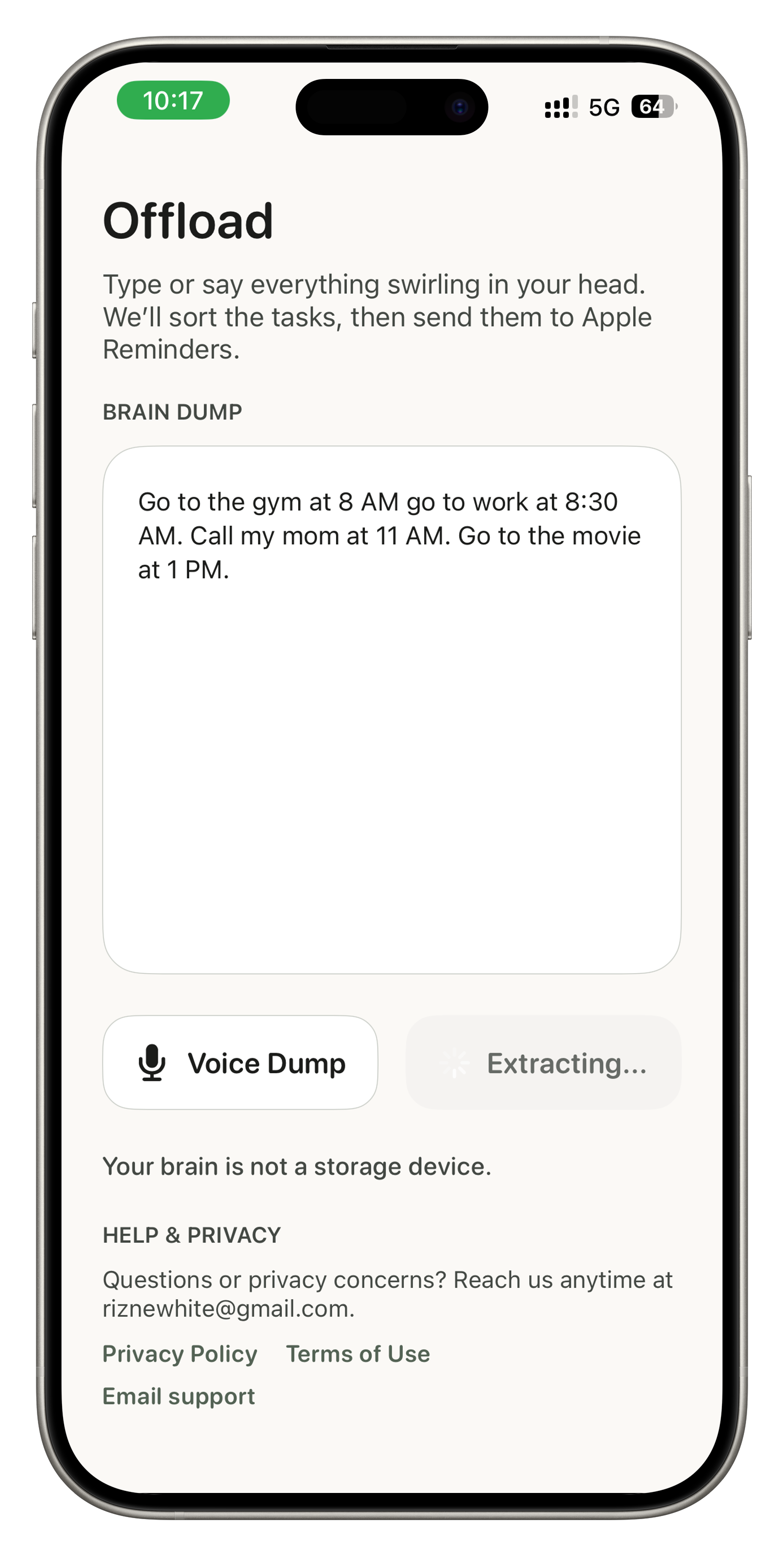
Offload dump input screenshot
Get It Out. See What Matters.Start with the messy version. Offload handles the sorting after that.

How it works

Dump the chaos. Leave with a clean task list.

Your head was not built to hold all of this. Offload turns whatever is swirling in there into tasks that land in Apple Reminders — the app you already use.

Offload brain dump input screen

DUMP

Everything in your head

Speak or type freely — rambling is fine. No structure needed before you start.

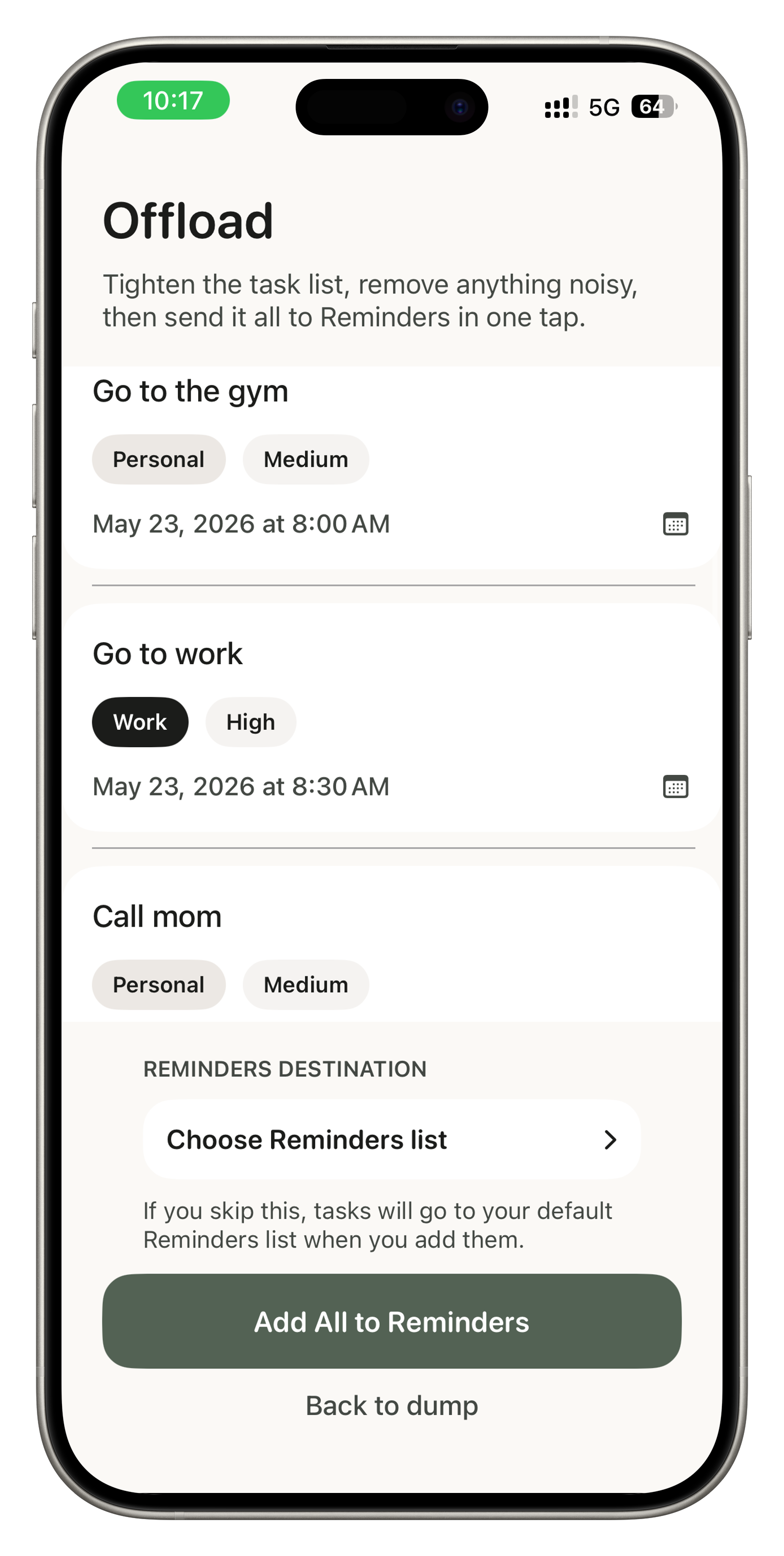
Offload task review screen

SORT

Your tasks in seconds

Offload reads what you said, pulls out every real action item, and infers deadlines from the way you speak — no timestamps required.

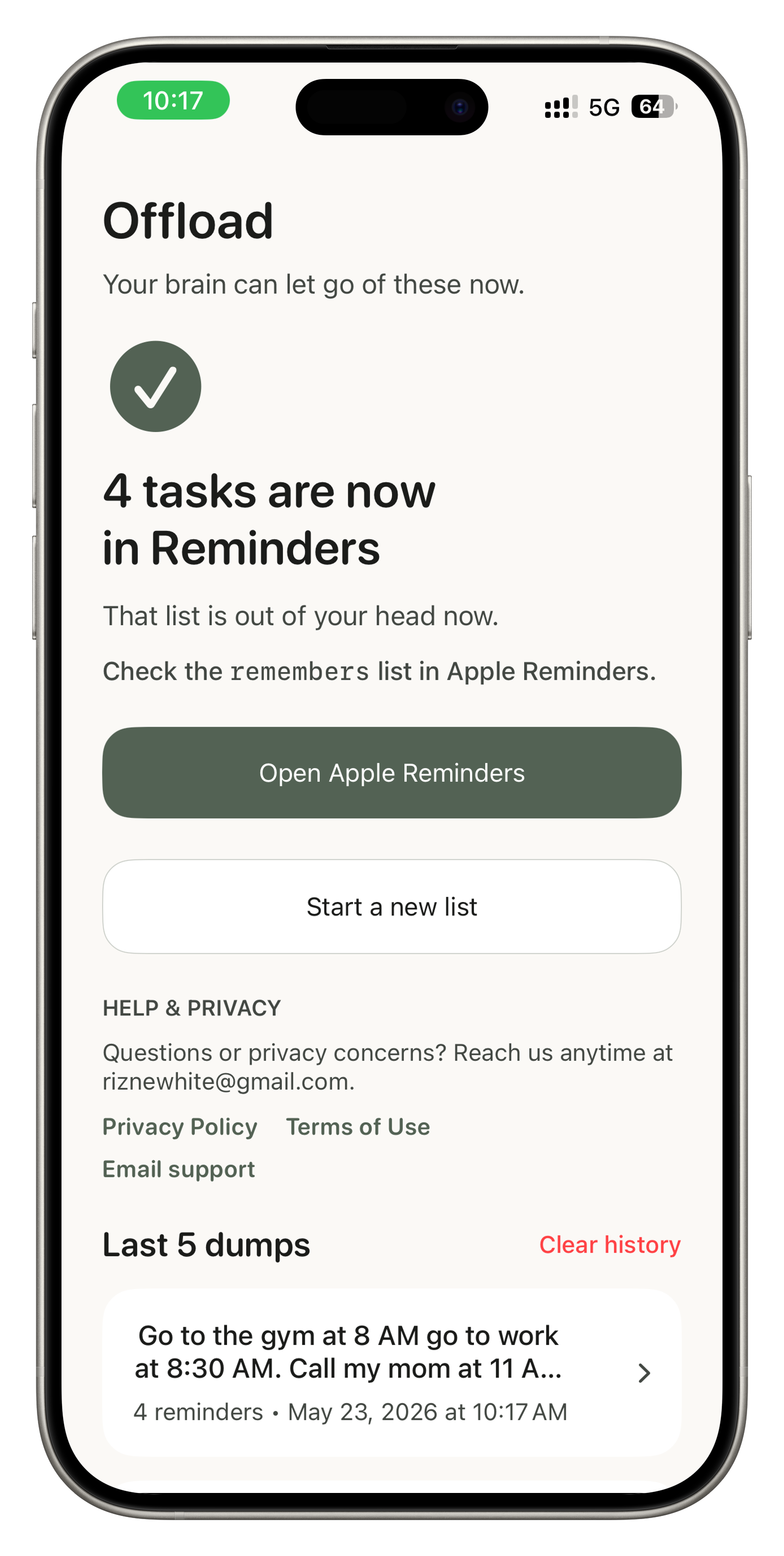
Offload confirmation screen after sending tasks to Reminders

SEND

Straight to Apple Reminders

Review the list, edit anything you need, then tap once. Every task lands in Apple Reminders — ready to work with your existing setup.

Why it helps

The hard part is carrying it all around.

Some days the problem is not motivation. It is too many open loops competing for space at once.

Offload gives those thoughts somewhere to go — and turns them into a real task list before they disappear again.

It lives inside Apple Reminders because that is already where you are trying to hold things together. No new place to check.

Trust

Honest pricing. No traps.

Monthly

$7.99 / month

Annual

$47.99 / year

  • 3 free dumps to start — no credit card, no time limit.
  • Tasks land in Apple Reminders, so you do not have to learn one more system.
  • Cancel anytime. The app shows exactly how, right on the paywall.
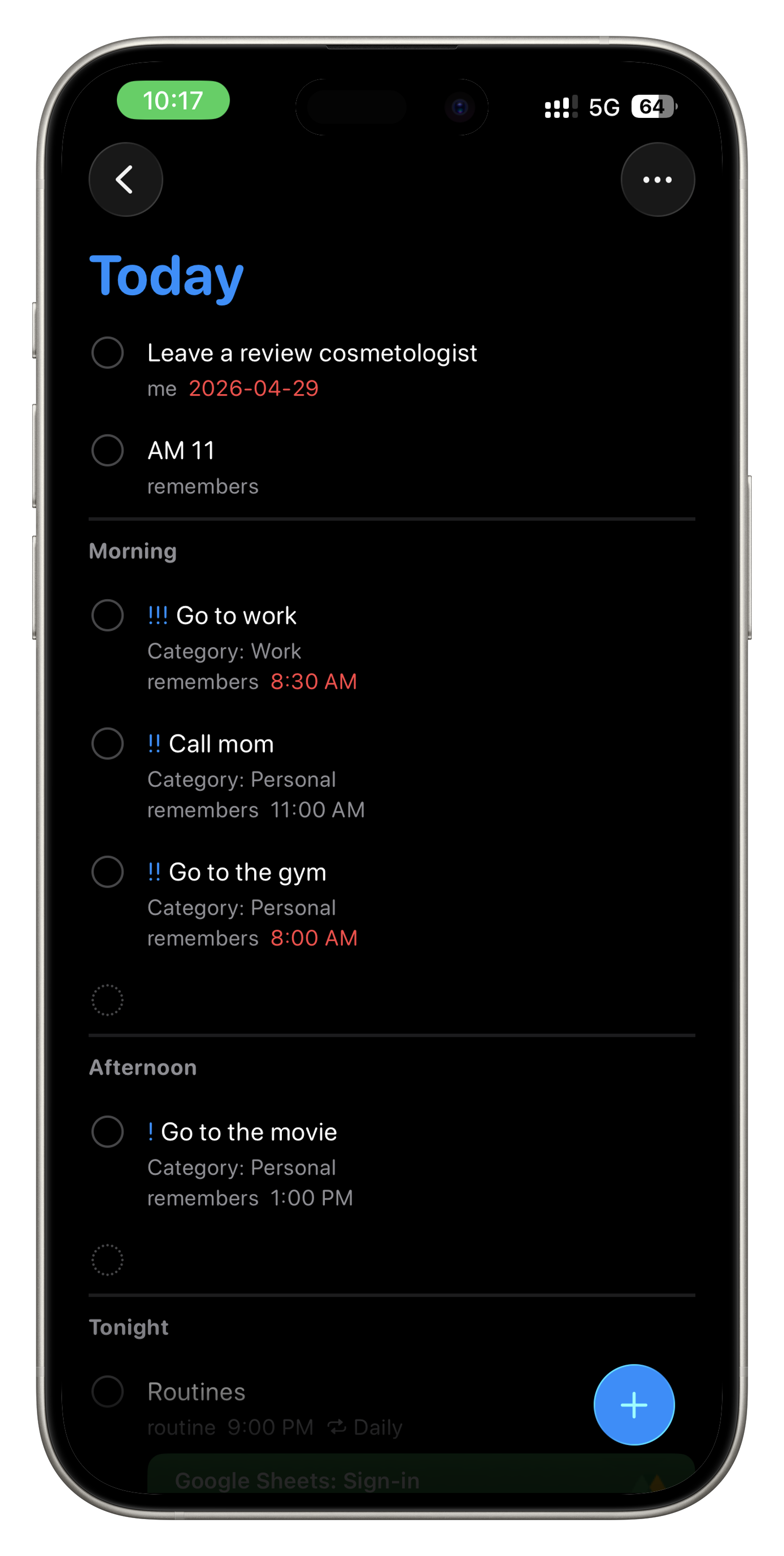
Tasks inside Apple Reminders after using Offload

Learn the workflow

Start with the problem, not another productivity lecture.

These guides explain brain dumps, Apple Reminders workflows, and why overloaded minds need capture before organization.

Browse all articles

Live demo

See a messy dump turn into a clean list.

This is the same AI the app uses. Type or paste any brain dump and see how Offload structures it into tasks with deadlines and categories.

Messy thoughts in. Clear tasks out.

Extracted tasks

Here is the clean version.

0 demo runs
Click 'See the clean list' to extract your tasks.
The iPhone app adds voice input, inline editing, and sends everything to Apple Reminders directly — one tap, done.